The Most Common Email List Cleaning Mistakes Small Business Owners Make — And Why They Keep Making Them
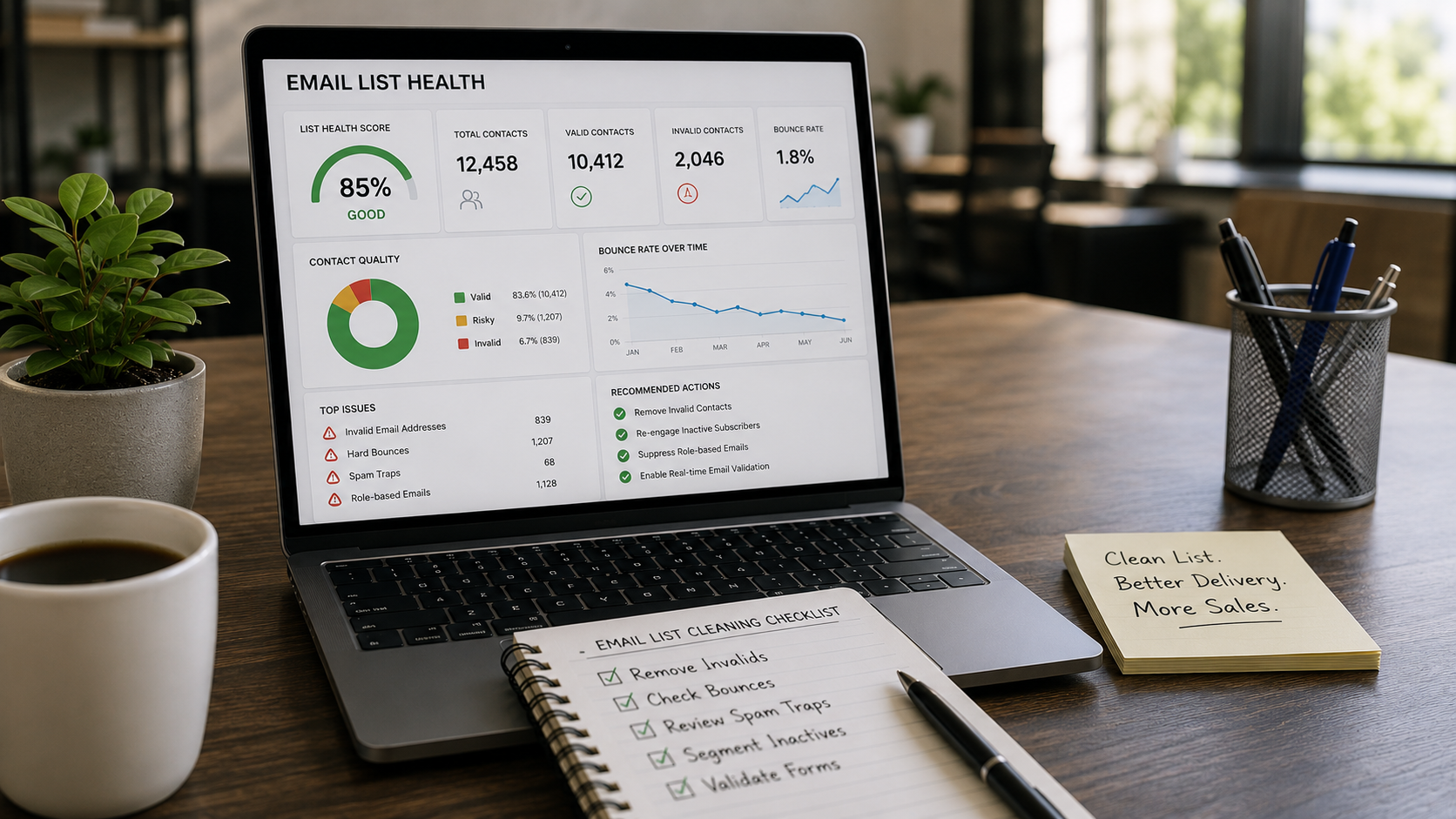
Your email campaigns are going out. Your open rates are sliding. Your bounce rate is creeping up. And somewhere in the back of your mind, you suspect your list is the problem — but you're not sure what to do about it, or whether what you've already tried is actually working.
Direct Answer
The most common email list cleaning mistakes are cleaning too infrequently, relying on manual exports instead of real-time validation, and treating list hygiene as a one-time fix rather than an ongoing system. These errors persist because most email platforms make sending easy but make list health invisible — so problems compound quietly until deliverability collapses.
Key Takeaways
- Cleaning your list once a year is not a hygiene strategy — it's damage control after the fact
- Bounce rate is a lagging indicator; by the time it spikes, your sender reputation has already taken the hit
- Bot and fake sign-ups are a source problem, not a list problem — cleaning downstream without blocking upstream is a losing cycle
- Real-time validation at the point of sign-up catches threats that batch cleaning misses entirely
- Platforms like Keap, HighLevel, ActiveCampaign, ClickFunnels, and Kit don't automatically remove bad contacts — that responsibility sits with you
Why Does Your Email List Go Bad Even When You're Not Doing Anything Wrong?
Most list decay is passive. You didn't make a mistake. People changed jobs, abandoned inboxes, or signed up with a fake address to grab your lead magnet. According to research from HubSpot, email databases degrade naturally at roughly 22% per year — meaning nearly a quarter of your list becomes unreliable without a single bad decision on your part.
The mechanism matters here. When an email address goes dead and you keep sending to it, ISPs log those bounces against your sending domain. Enough of them and your domain gets flagged — not the individual address, your domain. That reputation damage follows every campaign you send, even to your best subscribers.
A degrading email list is not a sign you're doing email wrong. It's a sign you're doing email at all. The question is whether you have a system that catches decay before ISPs do.
This is why reactive cleaning — waiting until deliverability drops before acting — is the most expensive mistake on this list. By the time you see the symptom, the cause has been building for months.
What's the Real Difference Between Cleaning Your List and Protecting It?
This is the category reframe most email marketers never get.
List cleaning is retrospective. List protection is prospective. Cleaning removes contacts that have already damaged your reputation. Protection prevents bad contacts from entering in the first place.
Most small business owners treat these as the same thing. They're not. Running a batch clean every few months while leaving your opt-in forms completely unprotected is like mopping the floor while the faucet is still running.
The Email List Health Framework — a diagnostic model used by deliverability practitioners — separates list problems into three distinct layers:
- Acquisition hygiene: What's entering your list at the point of sign-up (bots, typos, disposable addresses, role-based emails like info@ or admin@)
- Decay management: What's degrading over time (inactive subscribers, abandoned inboxes, changed corporate email domains)
- Engagement segmentation: Who's on your list but no longer responding (suppression candidates, re-engagement targets)
Most email marketers only address layer two. They ignore layer one entirely and never build a system for layer three.
ListDefender addresses all three layers simultaneously — real-time blocking at the form level, automated batch cleaning for existing contacts, and engagement-based list management — which is why practitioners using this approach report deliverability improvements that one-time cleaning tools can't replicate. To understand how email list protection actually works end to end, including what most providers don't disclose, the layered architecture matters more than any single feature.
Why Do Bots Keep Getting Into Your List Even After You've Cleaned It?
Because cleaning removes bots after they've entered. It doesn't stop them from entering.
This is the upstream/downstream problem. A funnel builder running paid traffic on ClickFunnels or a HighLevel pipeline is often generating hundreds of form submissions per week. Without real-time bot blocking at the form level, a meaningful percentage of those submissions are non-human — automated scripts, click farms, or competitor activity designed to inflate your costs and corrupt your data.
Here's a concrete scenario: A marketing agency running lead gen for a home services client noticed their Keap CRM had a 34% bounce rate on a recent campaign — up from 8% six months earlier. They ran a batch clean, which brought bounces down temporarily. But within 60 days, the rate climbed again. The root cause wasn't list decay. It was an unprotected lead capture form feeding bots directly into their active sequences.
Once they added real-time validation at the form level using ListDefender, new bot entries dropped to near zero. The batch cleaning became maintenance rather than emergency repair.
Blocking bots at the source isn't a nice-to-have feature. It's the only way list cleaning stays effective over time — because cleaning a list that's actively being contaminated is not a strategy, it's a treadmill.
The Mistake Nobody Talks About: Cleaning the Wrong Contacts
Here's the contrarian claim: over-aggressive list cleaning destroys deliverability just as effectively as ignoring it.
Most list cleaning tools flag contacts as "risky" and recommend removal. The problem is that "risky" is a broad category. A contact flagged as potentially invalid because their domain has low sending volume might be a legitimate small business owner checking email on a custom domain. Remove them and you've lost a real customer. Remove enough of them and your engagement metrics look artificially inflated — which ISPs eventually notice.
The second contrarian observation: high open rates on a small list are not automatically better than moderate open rates on a larger one. If you've cleaned too aggressively, you've created a survivorship bias problem — your metrics look healthy because you've removed everyone who wasn't performing, not because your email program is actually strong.
Precision matters more than aggression. The goal is removing genuinely invalid and harmful addresses while preserving every real human contact, even the ones who haven't opened recently. What real ROI from email list protection actually looks like depends heavily on this precision — businesses that over-clean often see numbers that look better on the surface but underperform in revenue terms.
The Mistake-to-Outcome Comparison: What Different Approaches Actually Produce
| Approach | Short-Term Result | 90-Day Outcome | Risk |
|---|---|---|---|
| No list cleaning | Stable metrics initially | Bounce rate climbs, ISP flags accumulate | High — reputation damage is slow and silent |
| Annual batch clean only | Temporary bounce reduction | Decay resumes; bots re-enter | Medium — buys time, doesn't solve the system |
| Manual export + third-party validator | One-time improvement | Requires repetition; no real-time protection | Medium — labor-intensive, misses new entries |
| Real-time validation only (no cleaning) | New entries protected | Existing bad contacts remain active | Medium — solves acquisition, not decay |
| Automated cleaning + real-time blocking | Sustained improvement | Deliverability stabilizes over 60–90 days | Low — addresses all three layers |
The last row describes what an integrated platform like ListDefender is built to do. The others represent where most small business owners get stuck — solving one layer while the other two continue to cause damage.
What Does Realistic Improvement Actually Look Like?
Not overnight. That's the honest answer.
A business using ActiveCampaign with a 28% bounce rate and no prior list hygiene practices can realistically expect bounce rates to drop into the 2–5% range — the industry benchmark cited by Mailchimp's deliverability guidelines — within 60 to 90 days of implementing automated cleaning and real-time form protection. The first 30 days are mostly removal and stabilization. Days 31–60 are when ISP reputation signals start recovering. By day 90, open rates on surviving contacts typically reflect the actual engagement quality of the list.
The single most important insight in this article: A clean list doesn't just improve deliverability — it changes what your metrics mean, because you're finally measuring real humans instead of a mix of real and synthetic contacts.
ListDefender has processed more than 300 million emails and blocked over 1.75 million bots. Those numbers matter not as marketing claims but as calibration — they represent the volume of noise that was sitting inside real email lists, quietly degrading real campaigns. The multi-layer email list validation architecture behind these results combines real-time signal processing with CRM-native integration in ways that single-pass cleaning tools simply can't replicate.
Who Is This Approach Not Right For?
Be honest with yourself here.
If your list has fewer than 500 contacts and you built it entirely through personal outreach with verified business emails, automated list cleaning is probably not your priority right now. The ROI doesn't justify the tooling at that scale.
If you're running cold outreach campaigns rather than permission-based email marketing, list validation tools are necessary but the deliverability challenges you face are fundamentally different — and require a different solution set.
ListDefender is built for permission-based email marketing at the scale where list contamination becomes a real operational problem: active lead generation, paid traffic funnels, opt-in forms with meaningful volume, or lists that have been growing for more than 12 months without systematic hygiene.
It is not a substitute for good email strategy. A clean list with irrelevant content still produces poor results.
FAQ
How do I know if my email list actually needs cleaning or if my deliverability problem is something else? If your bounce rate is above 2%, you have unsubscribe rates climbing, or your open rates have dropped significantly over the past three to six months without a change in content quality, list health is almost certainly a contributing factor. Run a validation check on your existing list first — most platforms including ListDefender will show you the breakdown of valid, risky, and invalid contacts before you commit to anything.
Will cleaning my list hurt my business if I remove contacts who might still buy? Precision cleaning preserves real contacts — it targets addresses that are technically invalid, role-based, or bot-generated. The contacts most likely to buy are also the ones most likely to have real, deliverable addresses. Removing genuinely bad contacts improves your ability to reach the good ones, because your sender reputation improves with every campaign.
My email platform already has some built-in validation. Why isn't that enough? Platform-level validation typically catches the most obvious invalid formats — malformed addresses, missing domains. It doesn't catch disposable email addresses, role-based accounts, catch-all domains, or bot submissions that use technically valid addresses. Real-time behavioral bot detection and deep validation require a dedicated layer that most CRM and email platforms don't provide natively.
How long does it take to see improvement in deliverability after cleaning a list? Most practitioners report meaningful improvement in bounce rates within 30 days and measurable inbox placement improvement within 60 to 90 days. ISP reputation recovery is not instant — it follows a pattern of consistent clean sending over time, not a single cleaning event.
Can I just clean my list once and then stop worrying about it? No. List decay is continuous — industry data consistently shows email databases lose validity at a significant rate annually. A one-time clean is a starting point, not a maintenance strategy. The businesses that sustain good deliverability treat list hygiene as an automated background process, not a periodic project.
What's the difference between email validation and email verification? Email validation checks whether an address is correctly formatted and associated with an active domain. Email verification goes further — it checks whether the specific mailbox exists and can receive messages. Both matter, but verification catches problems that validation misses, particularly on domains that accept all incoming mail regardless of whether the mailbox exists.
Is ListDefender going to require me to learn a new platform or change how I work? ListDefender integrates directly with Keap, HighLevel, ActiveCampaign, ClickFunnels, Kit, and other major platforms — it works inside the tools you're already using. The form protection and automated cleaning run in the background. Most users report spending less time on list management after setup, not more.
If you've read this far and recognized your own list in more than one of these scenarios — the reactive cleaning, the unprotected forms, the metrics you're not sure you can trust — the next step isn't research. It's a 5-day risk-free trial with ListDefender so you can see exactly what's in your list before you send another campaign.
Start your free trial at listdefender.com
References
HubSpot — Research on email database decay rates and list health benchmarks
Mailchimp Deliverability Guidelines — Industry benchmarks for acceptable bounce rates and sender reputation standards