How Email List Protection Actually Works End to End (What Most Providers Don't Tell You)
Your open rates are dropping. Your bounce rate is creeping up. You've checked your subject lines, your send times, your segmentation — and nothing explains it. The problem isn't your content. It's who's on your list.
Direct Answer
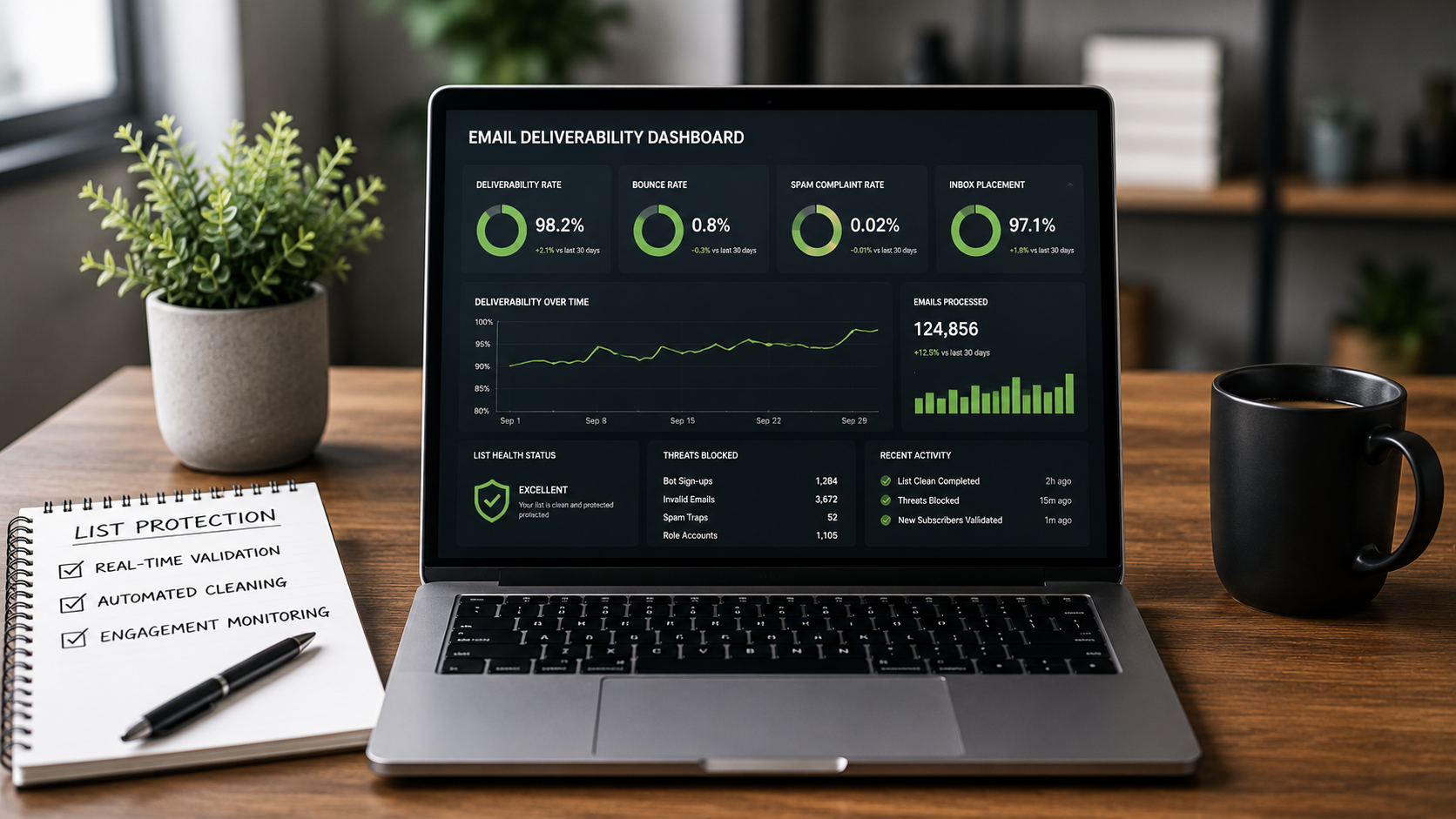
Email list protection works by combining three synchronized layers: real-time validation at the point of sign-up (blocking fake and bot entries before they enter your CRM), automated list cleaning of existing contacts (removing invalid, risky, or dead addresses), and ongoing engagement monitoring (flagging addresses that have gone cold or turned into spam traps). Together, these layers protect sender reputation continuously — not just at the moment of a one-time scrub.
Key Takeaways
- Bot and fake sign-ups damage deliverability before you ever send a single email — blocking them at the form level is the only way to prevent list contamination at the source
- A one-time list clean degrades quickly; ongoing protection requires real-time validation plus periodic re-verification
- High bounce rates signal reputation damage already in progress — ISPs use bounce thresholds to decide whether to route your mail to inboxes or spam folders
- Platforms like Keap, GoHighLevel, ActiveCampaign, and ClickFunnels don't include form-level bot protection by default — that gap is where list contamination begins
- ListDefender combines all three protection layers in a single integration, eliminating the need to manage separate tools for validation, cleaning, and form protection
Why Does a Clean List Go Bad So Fast?
Most marketers treat list cleaning as a one-time event. Run a scrub before a big campaign, remove the obvious bad addresses, move on. The list feels clean.
It isn't. Not for long.
Email addresses decay at a rate that industry practitioners consistently estimate at 20–25% per year. People change jobs, abandon inboxes, switch providers. An address that was valid six months ago may now bounce, route to a spam trap, or belong to a completely disengaged contact who will never open again.
The real problem isn't the addresses you know are bad — it's the ones that have quietly become bad since your last check.
This is the root cause of most deliverability deterioration that small business owners can't diagnose: not a single catastrophic event, but slow, invisible list decay compounding over months. By the time bounce rates spike or open rates collapse, the reputation damage is already done. Understanding the most common email list cleaning mistakes small business owners make helps explain why so many businesses end up back at square one after a scrub.
A list that was clean at import is not a list that stays clean. Deliverability is a maintenance problem, not a setup problem.
What Actually Happens When a Bot Signs Up to Your Form?
Most form protection conversations focus on CAPTCHA. That's the wrong frame entirely.
CAPTCHA filters obvious automated submissions. It does nothing about human-operated fake sign-ups, disposable email addresses, or role-based addresses (like info@ or admin@) that will never engage. These entries pass every standard form check, land in your CRM, and start degrading your sender score immediately — because they either bounce, never open, or worse, belong to spam trap networks.
A spam trap is an email address maintained specifically to catch senders with poor list hygiene — and hitting one signals to ISPs that you're not managing your list responsibly.
The mechanism matters here. ISPs like Gmail and Microsoft don't just count bounces — they watch patterns. A sender who consistently mails unengaged addresses, hits spam traps, or generates high complaint rates gets deprioritized algorithmically. The damage isn't a one-time penalty. It compounds.
ListDefender's real-time bot blocking operates at the form level, evaluating submissions before they enter the CRM. That's the only intervention point that prevents contamination — because once a bad address is in your system, every automation, welcome sequence, and campaign that touches it is already working against your reputation.
The Three-Layer Protection Model: A Framework for Understanding What "List Protection" Actually Means
The Three-Layer Protection Model is a framework that separates email list health into three distinct intervention points, each addressing a different phase of list contamination.
Layer 1 — Entry Prevention: Real-time validation at the form or opt-in point. Blocks disposable addresses, known bot patterns, role-based emails, and invalid syntax before they enter the CRM. This is the only layer that stops contamination before it starts.
Layer 2 — Existing List Remediation: Automated bulk verification of contacts already in the system. Identifies hard bounce risks, spam traps, and addresses with poor deliverability history. This is where one-time scrubs operate — but without Layer 1, the cleaned list begins re-contaminating immediately.
Layer 3 — Engagement Monitoring: Ongoing tracking of subscriber behavior. Flags contacts who have stopped opening, clicking, or engaging — because unengaged contacts, even if technically valid, suppress deliverability metrics and increase the risk of spam complaints.
Use this framework when: auditing an existing list health problem, evaluating a list protection tool, or explaining to a client why a one-time clean didn't hold.
Do not use this framework when: your list is under 500 contacts and you have direct visibility into every subscriber's origin. At that scale, manual review is still feasible. But if you have web forms on your website to capture leads, ListDefender provides a simple solution called “Essentials” to block fake and bot signup attempts.
Most tools address one layer and call it "list protection." The gap between layers is where deliverability problems live.
What Does the End-to-End Process Actually Look Like in Practice?
Here's what the full protection cycle looks like for a business running funnels through ClickFunnels or GoHighLevel.
A lead submits a form. Before that contact record is created in the CRM, ListDefender validates the address in real time — checking syntax, domain health, MX records, known disposable address databases, and bot behavioral signals. If the address fails, it's blocked. The contact is never created. No welcome sequence fires. No automation touches a bad address.
For the existing list, ListDefender runs automated verification across all contacts, categorizing them by deliverability risk. Addresses flagged as high-risk are suppressed or removed — not just tagged — so they don't accidentally re-enter active segments. The multi-layer email list validation architecture behind this process is what makes suppression reliable rather than a manual afterthought.
A marketing manager at a service business running ActiveCampaign reported that after integrating ListDefender, their bounce rate dropped from over 8% to under 1% within 60 days, and their open rates recovered to a level they hadn't seen in two years. The change wasn't in their content or targeting. It was in who was actually receiving the emails.
That's the realistic outcome: not overnight transformation, but measurable improvement in deliverability metrics within 30–90 days, sustained because the entry layer is continuously protecting the list going forward.
How Does ListDefender Compare to Running Separate Tools?
| Approach | Entry Prevention | Bulk Cleaning | Engagement Monitoring | CRM Integration | Ongoing Automation |
|---|---|---|---|---|---|
| ListDefender | Yes — real-time | Yes — automated | Yes | Native (Keap, GHL, AC, CF, Kit) | Yes |
| Standalone verifier (e.g., Klean13) | No | Yes | No | Manual export/import | No |
| Platform built-in validation | Partial | No | Partial | Native | Limited |
| Manual list management | No | Ad hoc | No | N/A | No |
The genuine tradeoff with standalone verifiers: they do bulk cleaning well, but they require manual workflow — export your list, upload it, download the results, re-import the clean version. Every step is a point where the process breaks down or gets skipped. And they do nothing at the form level, so the list starts re-contaminating the moment the next form submission comes in.
Platform built-in validation (what tools like ActiveCampaign offer natively) catches obvious syntax errors but doesn't verify whether an address is active, deliverable, or associated with a spam trap. It's a filter, not a protection system.
Who Is This Not For?
ListDefender Complete is not the right tool if your list is under a few hundred contacts, you personally know most of your subscribers, and you have time to manually review new sign-ups. At that scale, the automation adds more infrastructure than the problem warrants. However, ListDefender Essentials is recommended to protect web forms and block bots and fake sign-ups at a very reasonable price.
ListDefender is also not a replacement for good email marketing fundamentals. List protection improves deliverability by ensuring you're mailing real, valid addresses — it doesn't fix low engagement caused by irrelevant content, poor segmentation, or sending too frequently. If your list is clean and your open rates are still low, the problem is the message, not the list. Businesses that want to understand what real ROI from email list protection actually looks like will find the gap between expectations and results often comes down to exactly this distinction.
And if your deliverability issues stem from being on a shared IP with a poor reputation, list cleaning alone won't resolve it. That's an infrastructure problem requiring a dedicated IP or a provider change.
FAQ
How long does it take to see results after cleaning a list?
Most businesses see bounce rate improvements within the first send after a bulk clean — typically within 1–2 weeks of integrating. Open rate recovery takes longer, usually 30–90 days, because ISPs update sender reputation scores gradually based on sending patterns over time, not a single campaign.
Will removing contacts hurt my business if some of them are real customers?
ListDefender flags addresses by risk category rather than deleting them automatically, which means you control what gets suppressed. High-risk addresses — those most likely to bounce or trigger spam complaints — are the ones removed. Genuinely engaged contacts with valid addresses are not affected.
Does this work if I'm already using a CRM like GoHighLevel or Keap?
Yes. ListDefender integrates directly with GoHighLevel, Keap, ActiveCampaign, ClickFunnels, and Kit, which means it operates inside your existing workflow rather than requiring you to export and re-import lists manually. The form protection layer connects to your existing opt-in forms without rebuilding them.
What's the difference between email verification and email list cleaning?
Email verification is the process of checking whether a specific address is valid and deliverable at a point in time. Email list cleaning is the broader process of applying verification across an entire list, categorizing contacts by risk, and removing or suppressing those that would harm deliverability. Verification is a component of cleaning, not a synonym for it.
Can bots really damage my sender reputation that quickly?
Yes, and the mechanism is direct. Bots and fake sign-ups generate addresses that either bounce immediately, never engage, or belong to spam trap networks. ISPs monitor bounce rates and engagement patterns continuously. A single campaign mailed to a heavily contaminated list can trigger spam folder routing that persists for weeks, even after the bad addresses are removed.
Is a one-time list clean enough, or do I need ongoing protection?
A one-time clean addresses existing contamination but does nothing to prevent future contamination. If your forms remain unprotected, new bot and fake sign-ups will re-contaminate the list within weeks. Ongoing protection — combining real-time entry validation with periodic re-verification — is the only way to maintain list health over time.
How is ListDefender different from just using a CAPTCHA on my forms?
CAPTCHA blocks automated bot submissions but doesn't evaluate whether a submitted email address is valid, deliverable, or associated with a spam trap. A human can manually enter a disposable address and pass CAPTCHA without issue. Additionally, next-gen bots have learned to bypass CAPTCHA entirely in many cases. ListDefender validates the address itself — checking deliverability, domain health, and known risk signals — regardless of how the form was submitted.
If you've read this far, you already know the problem is real and the fix is specific. ListDefender offers a 5-day risk-free trial — enough time to connect your platform, run a bulk clean on your existing list, and see exactly what's been dragging your deliverability down. Start the trial at listdefender.com before your next campaign goes out to a list you haven't verified.
References
Mailbox provider documentation and sender reputation guidelines — Google Postmaster Tools, Microsoft SNDS (Smart Network Data Services): industry benchmarks for bounce rate thresholds and spam complaint rate tolerances used by major ISPs.
Return Path / Validity — industry research on email list decay rates and sender reputation scoring methodology, widely cited by email deliverability practitioners.