What Actually Changes When You Get Email Verification Right
Your open rates are down. Your bounce rates are climbing. You've tried tweaking subject lines, adjusting send times, adjusting your segments. And nothing sticks. The problem isn't your content. It's who you're sending to.
Email verification is the process of confirming that an email address is real, deliverable, and not a spam trap, bot submission, or abandoned account before it damages your sender reputation. When done correctly and continuously, it doesn't just clean your list. It changes the economics of every campaign you run afterward.
Key Takeaways
- Email verification removes undeliverable and risky addresses before they trigger spam filters or blacklists
- The real ROI isn't fewer bounces. It's inbox placement recovery, which affects every subscriber on your list
- Bot-submitted addresses and fake sign-ups are a separate problem from stale contacts, and they require different solutions
- Platforms like Keap, HighLevel, ActiveCampaign, ClickFunnels, and Kit don't automatically protect you from bad data entering your list
- Automated, real-time verification prevents the problem at the source instead of cleaning up after the damage is done
Why Does a Clean List Feel Fine Right Up Until It Doesn't?
Most small business owners running email campaigns don't notice list quality problems until something breaks visibly. A campaign lands in spam, a platform flags their account, or open rates drop so far that the numbers stop making sense.
The mechanism here is gradual. Bad addresses accumulate quietly. Every form submission, every lead magnet download, every contest entry adds potential noise. Bots fill out forms. People type throwaway addresses. Old contacts go dormant. None of this triggers an immediate alarm.
The damage is cumulative, and it compounds. ISPs like Gmail and Outlook track your sending patterns over time. A sender who consistently hits invalid addresses or spam traps gets assigned a lower sender reputation score. And that score affects deliverability for your entire list, including your best subscribers who open every email you send.
That's the part most people miss. You're not just failing to reach the bad addresses. You're failing to reach the good ones too.
What Does Email Verification Actually Fix. And What Comes After?
Email verification is a technical confirmation process that checks whether an address exists, is formatted correctly, has an active mail server, and isn't associated with known spam traps or disposable email providers.
But the downstream effects go well beyond the list itself.
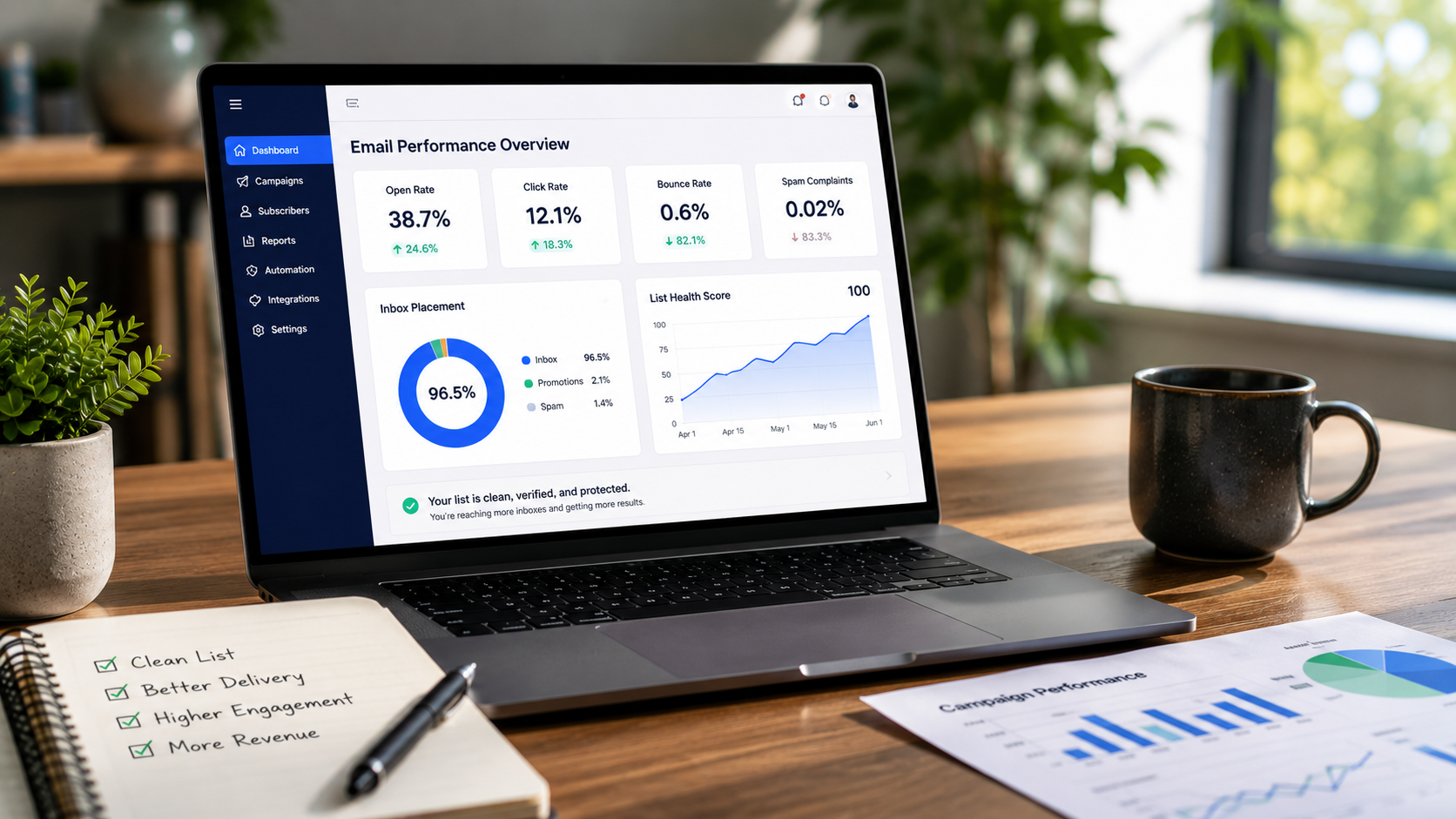
When you remove undeliverable addresses, your bounce rate drops. That part's obvious. What's less obvious: your engagement rate rises automatically, because the same number of opens now represents a larger percentage of a smaller, cleaner list. ISPs read that signal as "this sender's audience wants their mail." Inbox placement improves. Deliverability recovers.
Consider a typical scenario: a marketing manager running a 20,000-contact list in ActiveCampaign notices a hard bounce rate creeping toward 4%. They run a full verification pass and remove 2,800 invalid or risky addresses. Their list is now 17,200 contacts. But their open rate jumps from 18% to 24%, and campaigns that were landing in promotions folders start hitting the primary inbox again. Nothing changed except the list quality.
That inbox placement shift is worth more than any subject line test you'll run this year.
Why Don't Email Platforms Just Handle This Automatically?
HighLevel, Keap, ActiveCampaign, ClickFunnels, Kit. These are powerful platforms. They handle automation, segmentation, CRM, and campaign management at a level that would have required an enterprise team a decade ago.
They don't, however, verify the quality of the addresses entering your system.
That's not a criticism. It's a structural reality. These platforms are built to send mail, not to police the data coming in. They'll flag hard bounces after the fact. They won't stop a bot from submitting a fake address at 2am, and they won't tell you that 12% of your list is made up of role-based addresses (info@, support@, admin@) that are almost never read by a real person.
This is why email list protection for HighLevel users and similar platform-specific integrations exist. To fill the gap between what your CRM does and what your list actually needs.
The platforms send. You're responsible for what gets sent to.
The Verification Gap Framework: Where Bad Data Actually Enters
The Verification Gap is the window between when a contact enters your system and when that contact's validity is confirmed. The wider that gap, the more damage accumulates before you catch it.
There are three distinct entry points where bad data gets in:
Form submissions. The highest-volume source of bot traffic and fake sign-ups. Without real-time verification at the point of entry, every form is an open door.
Imported lists. Purchased lists, trade show exports, partner data. These arrive with no quality guarantee and often include addresses that were valid two years ago and aren't anymore.
Contact decay. Real people who change jobs, abandon email accounts, or stop engaging entirely. A contact who was valid 18 months ago may be a liability today.
Each entry point requires a different response. Real-time blocking handles form submissions. Bulk verification handles imports. Engagement management handles decay. A solution that only addresses one of these leaves the other two wide open.
ListDefender's approach covers all three. Which is why it functions as a protection layer rather than just a cleanup tool. You can see the full breakdown of how this works at ListDefender's features page.
Bots Are a Different Problem Than Bad Addresses
Here's the contrarian claim worth sitting with: most email marketers treat bot-submitted addresses as a list quality problem. They're not. They're a security problem that happens to show up in your list.
A bot submitting fake addresses to your opt-in form isn't making a mistake. It's doing exactly what it was built to do. That could mean inflating competitor lists, triggering spam traps, or generating fraudulent leads in a pay-per-lead funnel. The motivation varies. The result is the same: addresses in your system that will never convert, will damage your reputation, and may be actively hostile.
Verification after the fact catches these. Real-time blocking stops them before they enter. The difference matters because once a bot-submitted address is in your CRM, it's already been counted, possibly triggered an automation, and may have generated a cost in your billing tier.
ListDefender has blocked over 1.75 million bots to date. That number isn't a marketing figure. It's a count of form submissions that would have entered client lists and started compounding damage.
A clean list isn't just about removing what's already broken. It's about not letting the next wave of broken data in.
Doing Nothing vs. Automated Verification: What the Comparison Actually Looks Like
| Factor | No verification / manual cleanup | Automated real-time verification |
|---|---|---|
| Bounce rate | Climbs gradually, spikes after campaigns | Stays consistently low |
| Sender reputation | Erodes over months, hard to recover | Protected continuously |
| Bot submissions | Enter list, trigger automations, inflate counts | Blocked at the form level |
| Time investment | Manual exports, tool uploads, re-imports | Zero. Runs in background |
| Platform billing | You pay for contacts that can't convert | List stays lean and accurate |
| Inbox placement | Degrades without visible warning | Improves as list quality rises |
| Recovery timeline | Weeks to months after reputation damage | Damage prevented, not repaired |
Manual cleanup isn't a strategy. It's a reaction. And by the time you're reacting, the reputation damage is already done.
Who Gets the Most Out of This. And When It's Most Urgent
Email verification matters most when you're actively acquiring new contacts. If you're running paid ads to a lead magnet, operating a high-volume funnel in ClickFunnels, or running any kind of open opt-in form, your exposure to bad data is constant.
It also matters most when you're approaching a sending threshold on your platform. Deliverability problems that were manageable at 5,000 contacts become serious at 50,000. The cost of ignoring list quality scales with your list size.
What verification doesn't fix: it won't repair a sender reputation that's already been blacklisted without additional remediation steps. It won't re-engage subscribers who've gone cold. That's an engagement management problem, which is a related but separate challenge. And it won't improve your content, your offer, or your segmentation strategy.
It does one thing precisely: it makes sure the people you're sending to are real, reachable, and not going to hurt you in the process.
If you're unsure whether your current list has a problem worth addressing, the email list cleaning guide from ListDefender walks through the diagnostic signals worth checking before you run a full verification pass.
The one thing worth remembering from all of this
You can't outmarket a broken list. Every optimization you run. Subject lines, send times, segmentation, automation sequences. Is built on top of your list quality. Fix the foundation first.
Frequently Asked Questions
How do I know if my email list actually needs verification right now?
If your hard bounce rate is above 2%, your open rates have dropped without a clear content reason, or you're running open opt-in forms without any bot protection, your list almost certainly has quality issues. These signals don't always appear together. One is enough to warrant a verification pass.
Will email verification remove real subscribers by accident?
A well-built verification system flags addresses by risk category rather than deleting them outright, which lets you make informed decisions about borderline contacts. Addresses that are clearly invalid or dangerous get removed. Addresses in gray areas get flagged for review. You don't lose real subscribers. You gain visibility into who's actually on your list.
How long does it take to see deliverability improvements after cleaning a list?
Most senders see measurable improvement within two to four sending cycles after a verification pass, because ISPs update their reputation scoring based on recent behavior. The more consistently you maintain list quality, the faster the recovery. And the less recovery you'll need over time.
Does my email platform already do this for me?
Platforms like ActiveCampaign, Keap, HighLevel, ClickFunnels, and Kit process bounces after sending, but they don't verify addresses at the point of entry or block bots in real time. That gap is where most list quality problems originate.
What's the difference between email verification and email list cleaning?
Email verification confirms whether a specific address is valid and deliverable. Email list cleaning is the broader process of removing or suppressing addresses that are invalid, risky, disengaged, or bot-submitted. Verification is one component of cleaning. But a full list cleaning process also handles engagement decay and role-based addresses that verification alone won't catch.
Is real-time verification worth it if I already clean my list quarterly?
Quarterly cleaning catches the damage after it accumulates. Real-time verification prevents it. If you're running active campaigns or live opt-in forms between cleanings, three months of bad data is enough to move your sender reputation in the wrong direction. Both approaches together are stronger than either alone.
What happens to my sender reputation if I ignore this for another six months?
Sender reputation damage is cumulative and non-linear. It gets harder to recover the longer it's been degrading. ISPs don't reset the clock when you finally clean your list; they watch your recent sending history. Six more months of high bounce rates and low engagement means a longer, slower recovery. The cost of waiting is always higher than the cost of acting now.
You've Read the Problem. Here's What to Do With It.
If you recognize your situation in this article. Bounce rates you can't explain, deliverability that's gotten worse without an obvious cause, forms that feel like they're pulling in noise. The next step isn't more research. It's running a verification pass on your current list and putting real-time protection on your forms.
ListDefender connects directly with Keap, HighLevel, ActiveCampaign, ClickFunnels, and Kit. It runs in the background, blocks bots at the point of entry, and keeps your list clean without manual exports or re-imports. There's a 5-day risk-free trial. Enough time to see exactly what's in your list and what's been entering your forms.
Start your trial at listdefender.com and find out what your list actually looks like.
About the Author
ListDefender is an email list protection platform specializing in automated list cleaning, real-time bot blocking, and sender reputation management. They work with small business owners, marketers, and CRM administrators running platforms like Keap, HighLevel, ActiveCampaign, ClickFunnels, and Kit to protect deliverability and ensure campaigns reach real, engaged subscribers. ListDefender has cleaned over 300 million emails and blocked more than 1.75 million bot submissions.